How Wordpress Seo Automation Turns Repetitive Tasks Into Scalable Workflows
Wordpress Seo Automation converts recurring optimization work into reliable systems that operate across hundreds or thousands of URLs. Instead of rewriting…

Dieser Artikel ist aktuell nur auf Englisch verfügbar.

Wordpress Seo Automation converts recurring optimization work into reliable systems that operate across hundreds or thousands of URLs. Instead of rewriting title templates, checking broken links, or updating product schema page by page, teams can define rules once and apply them consistently. The result is not effortless ranking; it is faster execution, cleaner data, and more time for decisions that require experience.
Effective Automation commonly supports:
- Metadata generation based on page type, product attributes, or editorial fields
- Automated internal linking and orphan-page detection
- Image compression, filename normalization, and alt-text workflows
- Schema markup and XML sitemap maintenance
- Redirect monitoring and scheduled broken-link checks
- Search performance reporting across defined page groups
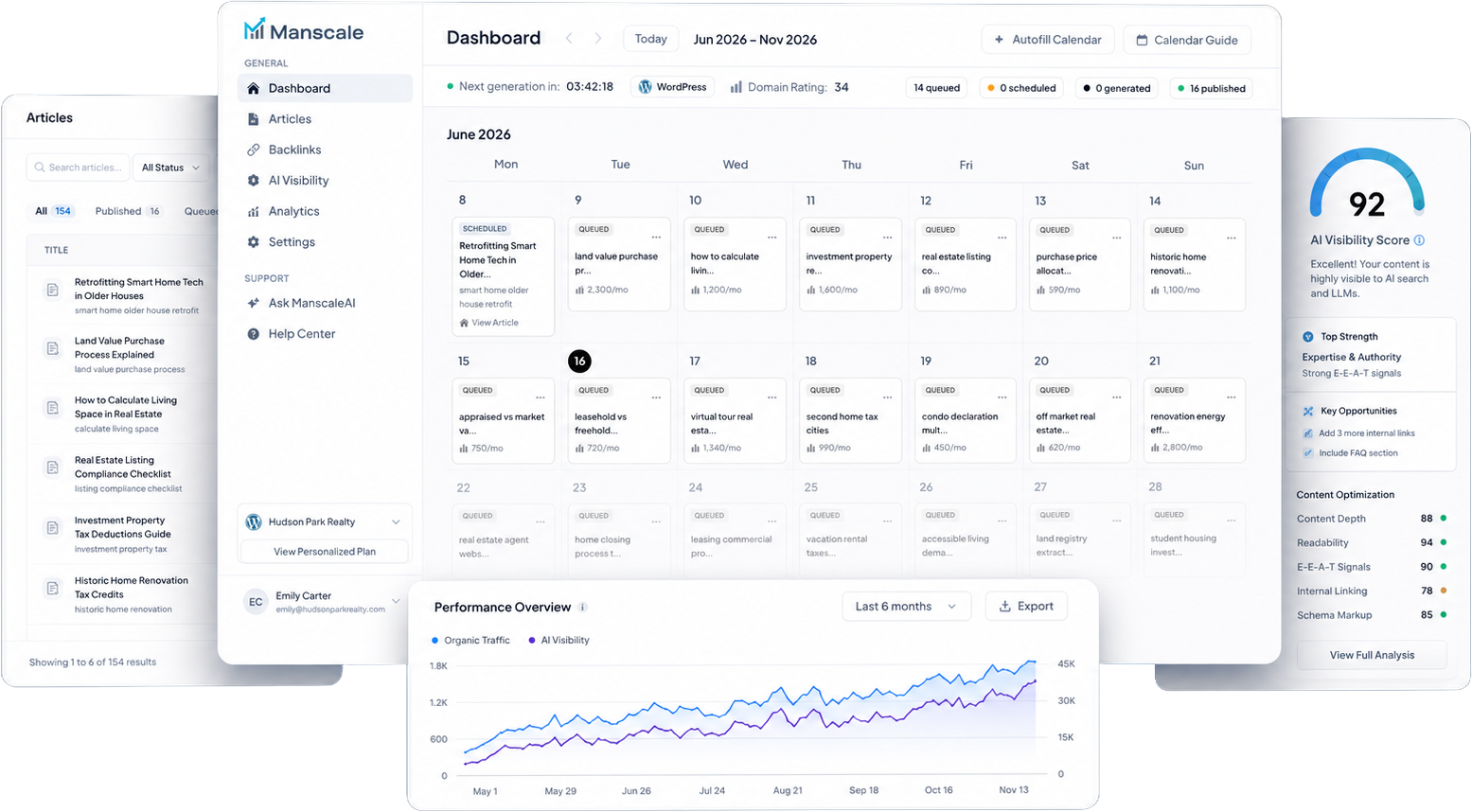
Platforms vary considerably in scope. A workflow tool might connect Google Sheets, an AI model, and Wordpress, as demonstrated by this Automate SEO-Optimized WordPress posts with AI & ... configuration. Manscale.ai takes a broader Saas approach: it researches keywords, creates and publishes AI-generated articles daily, builds backlinks, and tracks AI citations for sites on Wordpress, Shopify, Wix, and Webflow.
The strongest systems automate repeatable execution while preserving editorial review, technical oversight, and accountability.
Wordpress Seo Automation Turns Repetitive Work Into Scalable Workflows
What Seo Automation can realistically accomplish
The practical value of Wordpress Seo Automation is operational scale. A publisher can apply canonical rules across an archive, an ecommerce store can generate product metadata from structured attributes, and an agency can standardize reporting across multiple client sites. Growing businesses benefit from faster updates without increasing headcount at the same rate as their page inventory.
Rules-based Automation follows explicit instructions: redirect discontinued URLs to approved alternatives, exclude filtered pages from indexing, or generate titles using category and product fields. AI-assisted optimization handles less deterministic work, such as drafting descriptions, suggesting related pages, or identifying topic gaps. Resources such as Wordpress Seo Automation Using AI illustrate how AI can support changes at scale, but every recommendation still needs governance.
Automation reduces copy-and-paste mistakes and makes Seo standards more consistent. It can also accelerate urgent changes. Updating a template is considerably faster than editing 5,000 pages individually.
Where human expertise remains essential
A plugin cannot guarantee rankings because Google evaluates relevance, usefulness, authority, technical accessibility, and competitive context. Search demand also changes independently of a site’s software.
Humans must determine search intent, brand positioning, factual accuracy, and whether content offers original value. Editors should review AI output for unsupported claims, duplication, and tone. Technical specialists remain responsible for testing schema, indexation directives, and redirects before deployment. The sound operating model is simple: machines handle predictable volume; qualified people control strategy, exceptions, and quality assurance.
Direkt auf deiner Website
Hol dir einen 30-Tage-Contentplan für deine Website.
Audit Existing Seo Processes Before Choosing What to Automate
Map tasks by frequency, effort, and business impact
Before implementing Wordpress Seo Automation, document how work currently moves from request to publication. Inventory recurring activities such as metadata creation, internal-link updates, redirects, image optimization, schema deployment, sitemap maintenance, broken-link checks, and performance reporting.
A concise audit should record:
- Frequency: daily, weekly, monthly, or event-driven
- Time cost: average minutes per task and monthly labor hours
- Risk: potential impact of an incorrect automated action
- Judgment required: low, moderate, or high
- Business impact: traffic, revenue, index coverage, or operational savings
- Current owner: editor, developer, Seo specialist, or agency
This classification exposes suitable candidates. Weekly broken-link crawls are frequent, predictable, and easy to validate. Redirecting a high-value URL after a site migration carries more risk and warrants manual approval. Metadata for 20,000 products may justify templating, while titles for strategic landing pages deserve individual research.
Identify bottlenecks without automating bad practices
Automation reproduces whatever process it receives—including flawed ones. If three teams use different canonical rules, converting those rules into workflows will spread inconsistency faster. Standardize naming conventions, approval rights, templates, and exception handling first.
Establish baseline metrics before deployment. Useful measures include hours spent per month, metadata error rates, broken-link counts, Core Web Vitals, indexed-page totals, organic clicks, and the time required to publish an optimization. Compare equivalent periods after implementation while accounting for migrations, algorithm updates, and seasonality.
Document rollback procedures as well. A reliable workflow should log changes, identify affected URLs, and allow teams to reverse harmful actions without reconstructing prior settings manually.
Direkt auf deiner Website
Soll so ein Artikel für deine Website entstehen? Starte den kostenlosen Quiz.
Choose Plugins and Integrations Based on Control, Compatibility, and Cost
Compare all-in-one plugins with specialized tools
A Wordpress Seo Automation stack should match operational needs rather than accumulate features. All-in-one suites centralize metadata, schema, sitemaps, and indexing controls. Modular stacks offer greater flexibility but require more configuration, monitoring, and ownership.
| Tool | Typical capabilities | Cost structure | Setup complexity | Customization | Potential overlap |
|---|---|---|---|---|---|
| Yoast Seo | Metadata, XML sitemaps, schema, content analysis | Free core; paid annual plans | Low | Moderate | Sitemaps, schema, metadata |
| Rank Math | Metadata, schema, redirects, rank tracking integrations | Free core; paid annual plans | Low–moderate | High | Redirects, schema, analytics |
| SEOPress | Metadata, sitemaps, schema, analytics connections | Free core; paid annual plans | Low–moderate | High | Metadata, schema, sitemaps |
| n8n | API workflows, scheduled publishing, data routing | Self-hosted option; paid cloud plans | High | Very high | Publishing and reporting automations |
| Redirection | Redirect management and 404 monitoring | Free | Low | Moderate | Redirect modules in Seo suites |
A specialized utility is valuable when it solves a defined gap. It becomes unnecessary overhead when an existing suite already performs the same task reliably.
Evaluate performance, support, and data access
Test every candidate in a staging environment using the production theme, page builder, ecommerce plugin, caching layer, PHP version, and hosting configuration. WooCommerce product schema, Elementor templates, server-level caching, and JavaScript optimization can alter generated markup or delay automated updates.
Inspect data ownership, export options, API limits, change logs, support response times, and permission controls. Enterprise teams may also require audit trails and role-based approvals.
Never activate multiple tools that independently generate metadata, schema, redirects, canonicals, or XML sitemaps. Competing outputs can create duplicate schema, redirect chains, conflicting robots directives, and unstable page titles. Assign one authoritative system to each function, record that ownership, and monitor the rendered HTML—not merely the settings screen—after every major configuration change.
Direkt auf deiner Website
Soll so ein Artikel für deine Website entstehen? Starte den kostenlosen Quiz.
Automate Metadata Without Producing Generic Search Snippets

Build templates for titles and meta descriptions
Wordpress Seo Automation can combine dynamic variables, taxonomies, and custom fields without making every snippet sound identical. A blog template might use “%post_title% | %site_name%,” while a product page pulls the model, product type, and primary benefit from WooCommerce fields. Category pages can reference their taxonomy descriptions; author archives can include the writer’s specialty; location pages can combine a service with a verified city name.
Conditional rules add precision. If a product has a sale price, the description may mention it; if the price field is empty, that phrase must disappear. A practical overview, SEO Automation: 10 Ways to Put WordPress ..., shows how repeatable settings can reduce routine optimization work. Templates should use fallback values so missing fields never produce fragments such as “Available in — Order Today.”
Add safeguards for high-value pages and edge cases
Run automated checks for duplicate titles, empty descriptions, inaccurate claims, awkward punctuation, and excessive pixel width. Preview snippets on desktop and mobile, but do not enforce a rigid character formula: Google may rewrite titles or descriptions when another passage answers the query more effectively. Relevance and factual accuracy matter more than reaching exactly 60 or 160 characters.
The homepage, major landing pages, high-revenue products, and pages serving unusual search intent require manual review. Preserve approved copy with override fields and prevent bulk updates from replacing it. Effective Wordpress Seo Automation scales routine metadata while leaving strategically important messaging under editorial control.
Direkt auf deiner Website
Sieh, wie ManscaleAI den nächsten Artikel für deine Domain schreiben würde.
Use Automated Internal Linking to Strengthen Site Structure

Create contextual rules around topics and priority pages
Automated suggestions can reveal related pages that editors overlook, distribute internal authority, and reduce orphaned content. Start by mapping topic clusters and selecting one cornerstone destination for each primary theme. A Wordpress Automation cluster, for example, might prioritize a detailed workflow guide while supporting articles link to narrower discussions of research, publishing, or reporting.
The process should define:
- Priority destinations based on search value, conversions, and content depth
- Anchor-text variations that describe the destination naturally
- Exclusions for login pages, legal notices, and irrelevant archives
- A maximum number of inserted links per page or 500 words
- Rules preventing links to redirected, canonicalized, or noindex URLs
- Editorial approval for money pages and regulated content
Wordpress Seo Automation should analyze sentences, entities, and topical relationships rather than match isolated keywords blindly. How Automated Seo Software Turns Repetitive Tasks Into Scalable Workflows provides a useful framework for separating repeatable rules from decisions that still require human judgment.
Prevent excessive, repetitive, or misleading links
Review whether each automated link supports the surrounding paragraph, uses an accurate anchor, points directly to a live canonical URL, and avoids duplicating another link nearby. Compare recommendations with navigation menus, breadcrumbs, related-post modules, and existing editorial links before publishing. Wordpress Seo Automation: Save Time & Rank Faster 2026 also illustrates where Automation can support broader optimization workflows.
Cornerstone pages should receive consistent contextual support without monopolizing every anchor. Large product catalogs need stricter rules: link compatible accessories and relevant categories, not every product sharing one generic attribute. Schedule recurring orphan-page reports after migrations, product removals, or taxonomy changes, when site structure is most likely to deteriorate.
Direkt auf deiner Website
Sieh, wie ManscaleAI den nächsten Artikel für deine Domain schreiben würde.
Generate Schema, Sitemaps, and Indexing Signals With Clear Rules
Match structured data to visible page content
Wordpress Seo Automation can generate structured data from page templates, but every property must match visible, verifiable content. Product markup may draw from the displayed price, availability, SKU, brand, and customer ratings. Article markup can use the published date, modified date, author, headline, and representative image. Never automate unsupported review scores, credentials, delivery promises, or business locations.
| Wordpress page type | Suitable schema | Typical indexation choice |
|---|---|---|
| Editorial post | Article or BlogPosting | Index if original and substantial |
| WooCommerce product | Product and Offer | Index if available and commercially useful |
| Local service page | Service and LocalBusiness | Index when location content is unique |
| Category archive | CollectionPage and BreadcrumbList | Index only with useful copy and curated listings |
| Author archive | ProfilePage and Person | Index for established authors with valuable archives |
These are starting points rather than universal directives. Content quality, uniqueness, and search demand should determine the final configuration. Validate eligible markup with Google’s Rich Results Test and a Schema.org-compatible validator. Inspect rendered HTML as well as plugin previews, particularly when themes inject their own markup.
Control canonical tags, sitemaps, and indexation
Automation should include canonical URLs in the XML sitemap, exclude redirected and noindex pages, and update `lastmod` only after meaningful content changes. Apply robots directives by page type, not through unchecked global switches. Thin tag archives, internal search results, and empty author archives usually provide little search value; curated archives may deserve indexation.
Assign one plugin or platform to schema, canonicals, and sitemaps. Multiple generators can create conflicting entity types or duplicate properties. Test bulk rules on staging and crawl representative URLs before deployment. A mistaken noindex template can remove thousands of valuable products or landing pages from search far faster than a manual error.
Direkt auf deiner Website
Soll so ein Artikel für deine Website entstehen? Starte den kostenlosen Quiz.
Automate Technical Monitoring Without Allowing Alerts to Become Noise
Track crawl errors, redirects, speed, and uptime
Technical monitoring should detect broken links, 404 errors, redirect chains, Core Web Vitals regressions, downtime, blocked resources, security changes, and plugin-related failures. Wordpress Seo Automation becomes operationally useful when checks run at a frequency proportionate to risk rather than sending an email for every minor fluctuation.
| Issue | Check frequency | Alert threshold | Tool category | Recommended owner |
|---|---|---|---|---|
| Uptime failure | Every 1 minute | Two consecutive failed checks | Uptime monitor | DevOps engineer |
| New 404 errors | Daily | More than 20 hits or 5 affected URLs | Log analyzer | Seo manager |
| Redirect chains | Weekly | Three or more hops | Site crawler | Web developer |
| Core Web Vitals | Weekly | LCP above 2.5 seconds on priority templates | Field performance monitor | Performance engineer |
| Indexability change | Daily | Any priority URL becomes noindex or blocked | Seo crawler | Technical Seo lead |
A weekly crawl should also compare status codes, canonical targets, robots rules, sitemap membership, and rendered links against the previous snapshot. Security monitoring belongs in the same workflow when malware, injected links, altered files, or unauthorized administrator accounts could affect crawlability and user trust.
Set thresholds and assign clear response owners
Prioritize alerts by traffic, revenue, severity, and affected page count. One broken URL receiving 50,000 monthly visits warrants faster action than 200 obsolete URLs without sessions or links. Likewise, a checkout outage is critical even when only a few pages are involved.
Route each alert to a named owner with a response target and escalation path. Deduplicate repeated notifications, group template-wide failures, and suppress known maintenance events. Before automated fixes reach production, test them in staging, create a verified backup, and record the deployment in a change log. Redirect replacements, plugin updates, cache changes, and robots edits also need rollback procedures. Monitoring should trigger investigation; it should not grant software unrestricted authority to rewrite production settings.
Direkt auf deiner Website
Soll so ein Artikel für deine Website entstehen? Starte den kostenlosen Quiz.
Measure Whether Wordpress Seo Automation Improves Business Outcomes

Connect workflow metrics to organic performance
Rankings alone cannot prove that Wordpress Seo Automation creates business value. Establish a documented baseline covering at least three comparable months, then measure hours saved, pages optimized, Automation error rates, indexed-page quality, non-brand traffic, click-through rate, organic conversions, and revenue. Longer baselines are preferable for seasonal businesses.
Combine Google Search Console query and indexing data with an analytics platform’s conversion reports. Add rank tracking, crawl results, and Wordpress activity logs to determine what changed, when it changed, and whether the Automation caused it. This joined evidence can reveal, for example, that faster metadata production increased indexed coverage but failed to improve organic conversions. The methodology behind How Automated Seo Software Turns Repetitive Tasks Into Scalable Workflows provides additional context for connecting operational efficiency with search performance.
Annotate plugin installations, template revisions, migrations, and algorithm updates. Compare equivalent year-over-year periods where possible, since holiday demand, news cycles, and paid campaigns can distort results. Attribution remains imperfect: Wordpress Seo Automation may support a conversion without being its sole cause.
Review automated outputs on a recurring schedule
A fixed review cadence prevents small defects from spreading across hundreds of URLs. Teams evaluating Wordpress Seo Automation should assign an owner to each check and retain evidence in a shared change log.
- Weekly: Investigate indexing losses, crawl spikes, failed jobs, broken links, and unusual metadata changes.
- Weekly: Sample generated titles, descriptions, schema, and internal links for factual and editorial accuracy.
- Monthly: Compare click-through rate, non-brand clicks, qualified sessions, conversions, and revenue against the baseline.
- Monthly: Review saved production hours alongside correction time and error rates.
- Quarterly: Audit indexed-page quality, cannibalization, crawl waste, plugin conflicts, and security exposure.
- Quarterly: Retain, revise, pause, or remove each Automation based on measurable outcomes.
Plugin capabilities also change. Use current independent resources such as The 7 best WordPress SEO plugins in 2026 and verify platform principles through About – WordPress.org. Neither replaces testing on the actual site. A quarterly decision should reflect observed performance, maintenance burden, and risk—not feature lists. Mature Wordpress Seo Automation earns continued use only when its output remains accurate, recoverable, and commercially useful.
Direkt auf deiner Website
Sieh, wie ManscaleAI den nächsten Artikel für deine Domain schreiben würde.
A Controlled Automation Strategy Delivers Sustainable Seo Gains
Wordpress Seo Automation works best as a governed operating system, not an unrestricted publishing engine. High-value implementations automate repeatable tasks while preserving human approval for strategy, factual claims, template changes, and production-wide fixes. They begin with controlled permissions, staging tests, verified backups, named owners, and practical rollback procedures.
Performance must then be judged through both operational and commercial evidence. Time savings and publishing volume matter, but so do indexed-page quality, non-brand visibility, qualified conversions, revenue, and the labor required to correct mistakes. Search Console, analytics, crawl data, rank tracking, and activity logs provide a defensible measurement record when teams annotate changes and account for seasonality.
The next step is deliberately narrow: select one repetitive workflow, record its baseline, define its approval threshold, and run it for one review cycle. Expand only after the results demonstrate reliable gains without weakening editorial standards, technical stability, or accountability.
Direkt auf deiner Website
Hol dir einen 30-Tage-Contentplan für deine Website.